Article · 08 / AI for nurse leaders
What Should a Nurse Leader Never Put Into an AI Tool?
Never paste, upload, record, or connect patient information, confidential workforce data, credentials, internal records, or other restricted material to an AI tool that your organization has not approved for that information and purpose. Even in an approved system, use only the minimum information permitted, keep required human review, and follow your organization's privacy, security, legal, clinical, and records policies.
In brief
Use the approved tool and minimum permitted information, or stop.
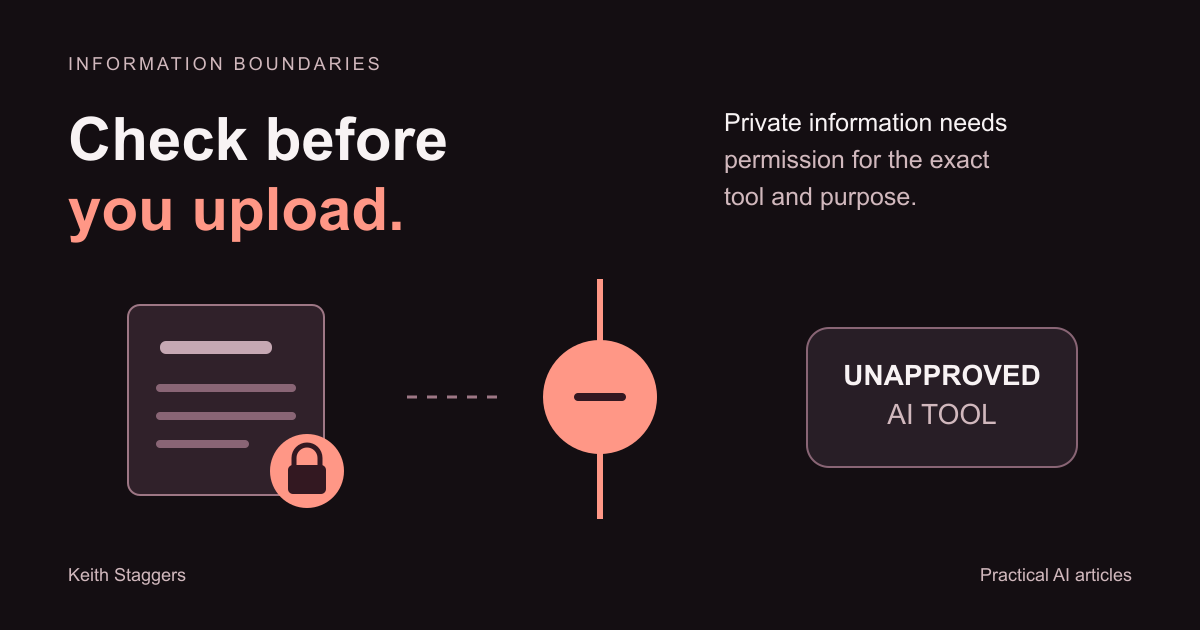
Never enter patient information, confidential workforce data, credentials, internal records, or other restricted material into an AI tool that is not approved for that information and purpose.
- Removing a name does not automatically make a real patient or employee story safe to use.
- Approval must cover the exact tool, account, information, and purpose.
- Use synthetic examples, public information, or an approved de-identification process when possible.
- Report an accidental disclosure through the designated organizational channel.
You remove a patient's name from a draft and pause over the upload button. What about the date, location, unusual event, or details in the attached screenshot? Removing the name does not answer the question of whether you may share the material with that tool.
Before uploading, ask: “Am I authorized to give this information to this specific tool, through this account, for this purpose?” That applies to patient information, workforce records, credentials, and other restricted material. Even in an approved system, use only the information permitted and follow the required review and records policies.
Check how the information reaches the service too. A screenshot, meeting recording, browser extension, or connected folder can disclose material without anyone pasting it into a prompt. The boundary applies to those routes as well.
The red list: do not enter these into an unapproved AI tool
Patient-identifying information
Do not enter real clinical notes, handoff text, patient messages, laboratory results, medication lists, images, recordings, billing documents, room assignments, or event narratives that identify a person or could reasonably do so.
Protected health information is broader than a name. HHS explains that PHI includes individually identifiable information about a person’s health, care, or payment, and may include identifiers such as an address or birth date when connected with health information. See the HHS guidance on de-identification.
Rare events and combinations of ordinary facts can also identify someone. Replacing a name with initials, “Patient A,” or a room number is not a formal de-identification method.
Confidential workforce information
Do not enter identifiable performance reviews, corrective actions, accommodation requests, leave information, health information, investigations, complaints, schedules tied to people, compensation, or private communications unless the exact tool and use are authorized.
Employment records held by an organization in its role as employer are not automatically PHI, but that does not make them public or appropriate for a consumer AI account. Other laws, contracts, and organizational policies may govern them.
Credentials, secrets, and security information
Never paste passwords, multifactor codes, access tokens, private keys, recovery codes, internal security findings, door codes, protected network details, or instructions that would help someone bypass a safeguard.
If a workflow needs a secret, store it in the organization’s approved secret-management method. Do not place it in a prompt, reusable template, screenshot, or handoff guide.
Internal records and restricted business information
Do not upload nonpublic policies, contracts, legal advice, incident reports, unreleased financial information, proprietary procedures, vendor terms, internal dashboards, meeting transcripts, or executive communications without authorization for that system and purpose.
The fact that an employee can open a file does not necessarily mean the employee may send it to an outside service.
Other people’s private stories
Do not turn a real patient, employee, customer, or coworker experience into a prompt because the story feels “anonymous.” A distinctive event, date, location, role, or sequence can reveal the person when combined with other information.
For training, use an invented scenario designed to teach the same decision. Label it synthetic and remove any details borrowed from a real event.
“HIPAA compliant” is not a permission slip
A vendor’s marketing statement does not approve a use. HHS states that when a covered entity uses a cloud service provider to create, receive, maintain, or transmit electronic PHI on its behalf, the provider is a business associate and the parties must enter a HIPAA-compliant business associate agreement; the covered entity must also conduct its own risk analysis and comply with the HIPAA Rules. See HHS Guidance on HIPAA and Cloud Computing.
For a nurse leader, the practical boundary is simple: use only the organization-approved tool, account, configuration, information, and purpose. If any one of those is uncertain, stop before entering the data.
Use the PAUSE check before every prompt or upload
P: Purpose and permission
Can you state the approved work purpose? Are you authorized to use this information for it? A useful goal does not cancel a privacy requirement.
A: Approved tool and account
Confirm the exact product, feature, account, and integration. Approval for one enterprise AI tool does not extend to a personal account, browser extension, transcription bot, or another vendor.
U: Use the minimum necessary information
Ask whether the task can be completed with fewer fields, a smaller date range, an aggregate, or no real record at all. HHS says covered entities generally must take reasonable steps to limit uses, disclosures, and requests for PHI to the minimum necessary for the intended purpose, subject to stated exceptions. See the HHS Minimum Necessary Requirement.
S: Substitute safe information
Prefer invented examples, public information, empty templates, or data that has been de-identified through an approved process. HHS recognizes two HIPAA de-identification methods: Expert Determination and Safe Harbor. It also notes that properly de-identified data still carries some identification risk. Casual deletion of obvious fields is not the same process.
E: Escalate uncertainty
When permission is unclear, ask the organization’s privacy, security, compliance, legal, informatics, procurement, or data owner. Record the decision in the approved location; do not rely on “someone said it was fine.”
Safer nurse-leader uses with synthetic or approved information
These examples can often be explored without real records:
- turn a fictional policy outline into a staff-education draft;
- create questions for a training session using an invented scenario;
- reformat a public regulation into a study guide while linking back to the source;
- draft a generic agenda, checklist, or communication template;
- compare two public documents; or
- practice evaluating an AI response for omissions, unsupported claims, and unclear instructions.
The output still needs a qualified human review. Do not ask AI to provide patient-specific direction, make a final workforce decision, interpret an internal policy without verification, or invent authority it does not have.
If restricted information was entered by mistake
Do not try to hide or privately solve the incident. Stop using the workflow, preserve the information your organization requires for reporting, and contact the designated privacy, security, compliance, or incident-response channel promptly.
Do not paste the same restricted material into another tool while asking how to fix the first disclosure.
Limitations
This article is practical education, not legal, privacy, cybersecurity, employment, or clinical advice. HIPAA applies to covered entities and business associates in defined circumstances; state laws, contracts, professional duties, and organizational policy may impose additional requirements.
An approved tool can still be used incorrectly. Approval does not replace minimum-necessary practices, role-based access, human review, records requirements, monitoring, or incident reporting.
Primary sources
- HHS Guidance on HIPAA and Cloud Computing
- HHS Minimum Necessary Requirement
- HHS Guidance on De-identification of Protected Health Information
- HHS Business Associate Contracts
- NIST Artificial Intelligence Risk Management Framework: Generative AI Profile
Written by Keith Staggers, AI trainer, workflow builder, nurse leader, and author. Last reviewed August 20, 2026.
What to do next